
Setting up your Anonymised SignalLift report
The Anonymised SignalLift report enables customers to review the Google Ad Server data that Anonymised uses to calculate the performance of SignalLift and the declared yield increments.
This report can also be used by partners who do not wish to permit Anonymised to automatically collect GAM data using a service account and API.
To build the report:
Navigate to Reporting > Interactive reports
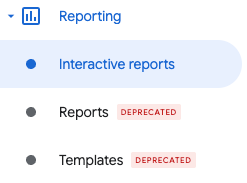
Reporting > Interactive reports
Click on the Create my own report button.
Name the report Anonymised SignalLift Reporting.
Set the Date field to Yesterday.
Leave the fields Compare and Split as None and Totals only respectively.
Under Report currency be sure to your local (operating) currency.
Set the Timezone to (GMT) Greenwich Mean Time or your Network time zone (notify Anonymised of this option) whichever is available.
Under Dimensions, select the following:
Date
Key-values (overlap)
Ad unit
Under Metrics, select the following:
Ad exchange revenue
Total impressions
Unfilled impressions
Within Add filter set:
Key-values is any of:
AnonymisedSignalLift=1,
AnonymisedSignalLift=2,
AnonymisedSignalLift=3,
AnonymisedSignalLift=4,
AnonymisedSignalLift=5,
AnonymisedSignalLift=6,
AnonymisedSignalLift=7,
AnonymisedSignalLift=8.
Note: You do not need to include the key-value AnonymisedSignalLift=0
Your report settings should look similar to (noting that your internal key value ids will be different):
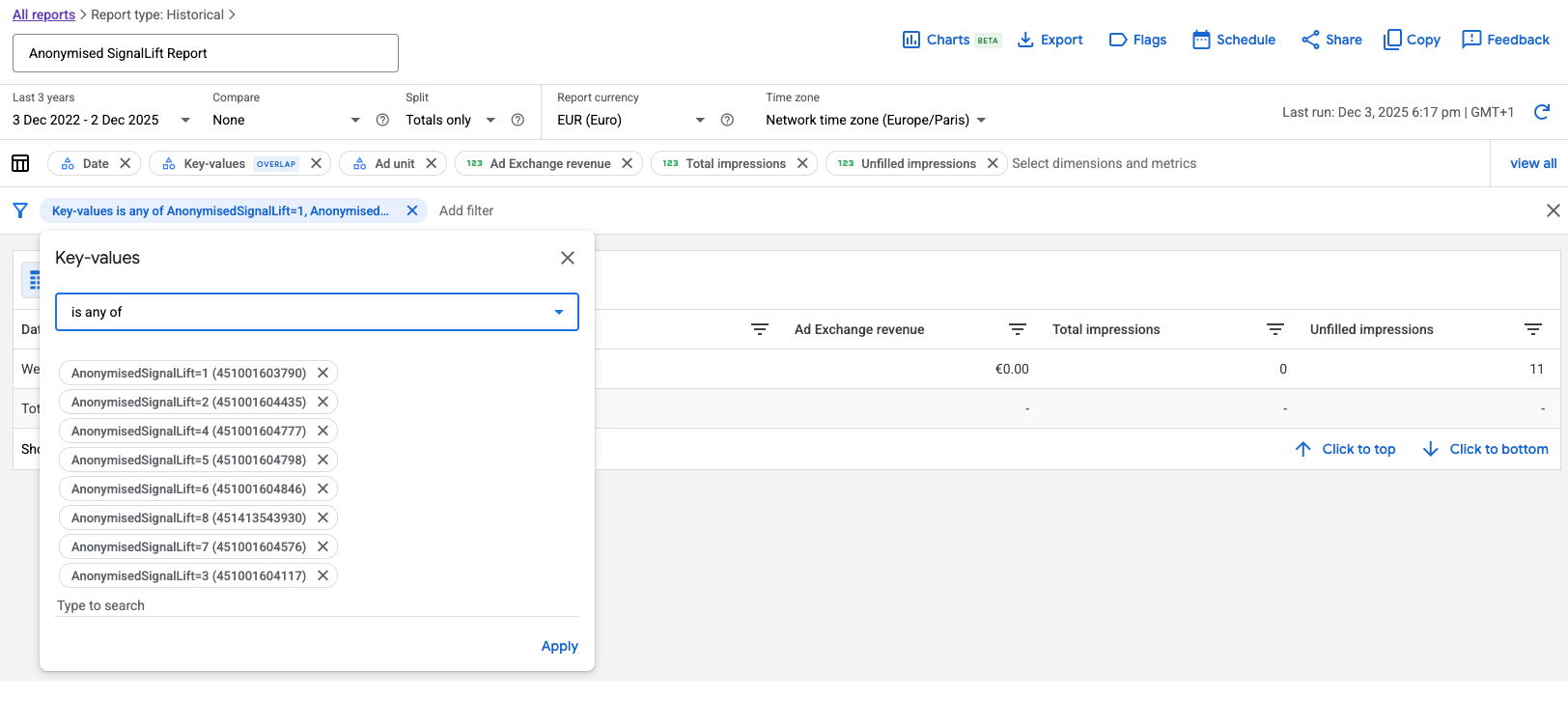
Anonymised SignalLift GAM Report
The report should automatically save (A momentary Saved label will appear after the report name).