
Impact Estimate Experiment
Introduction
Anonymised is attempting to correlate the results of the Google Ad Manager Impact Estimates with the results derived from the Google Ad Manager reporting API.
To easily enable this, we require our partners to set up a sequential set of PPID Impact Estimates over a period of 7 days.
Prerequisites
Ability to set up the Impact Estimates as soon as possible
Confirm that PPS is enabled within your GAM
Confirm over which Demand channels both your PPID and/or PPS signals are configured
Confirming Demand Channels for PPID and PPS
Within GAM360 navigate to Delivery > Demand channel settings
Under Default settings > Publisher data sharing, expand all settings and note the demand channels enabled for:
Publisher-provided identifiers (PPID) for programmatic
Publisher-provided signals: IAB audience taxonomy
For PPS be sure to also note the signals that can be shared and the 1P scoping for Google demand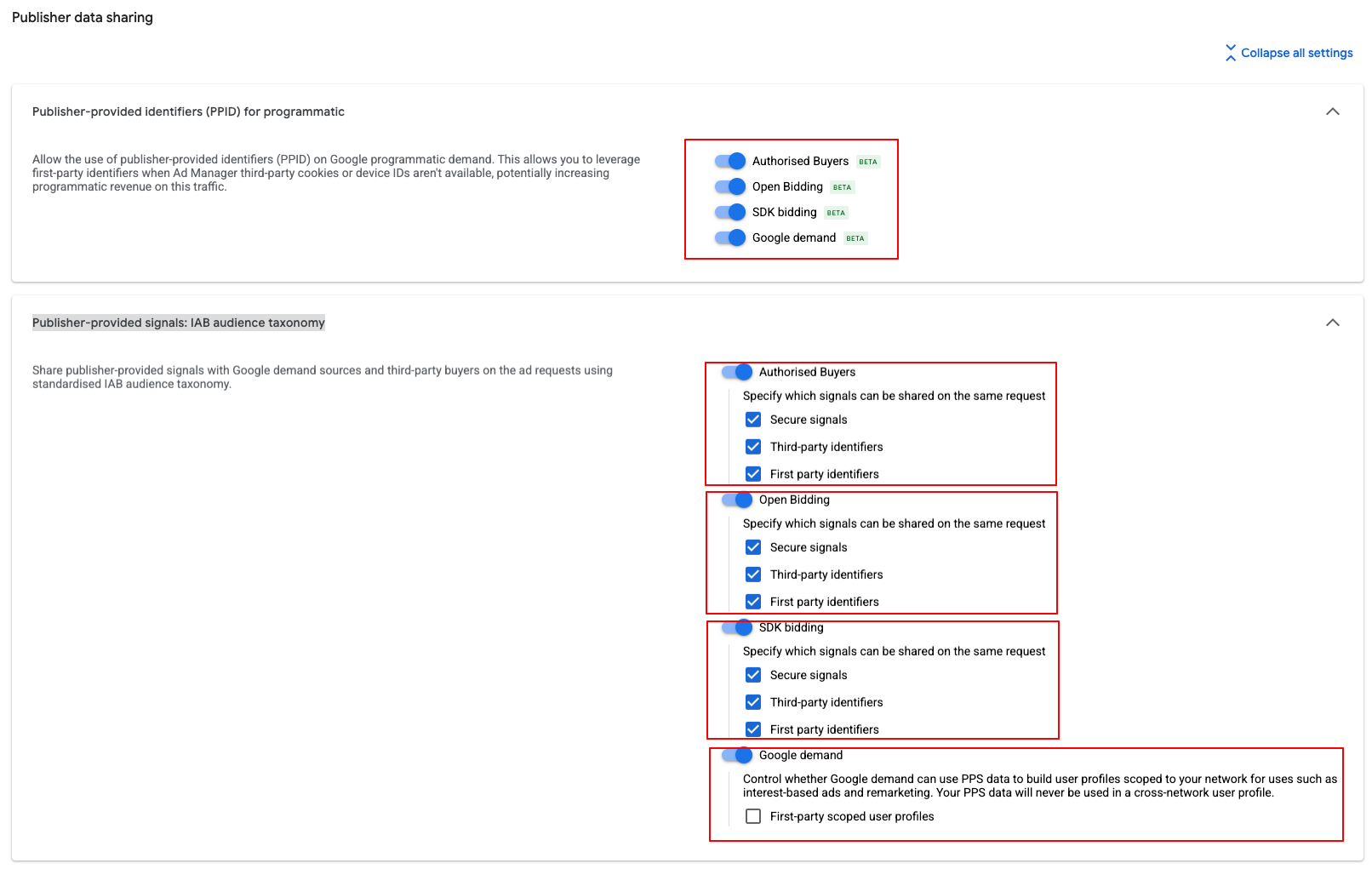
Useful Demand channel settings to note
Send these to Anonymised
Setting up a sequence of PPID Impact Estimates
Set up your first PPID Impact Estimate by navigating to Optimising > Impact estimates
Under Estimate options select PPID for programmatic
Under Demand channel settings select Measure impact of PPID for programmatic with your current setup
Leave Estimate variants as is
Under Delivery settings set the first whole day for the experiment, e.g. -
Click Run
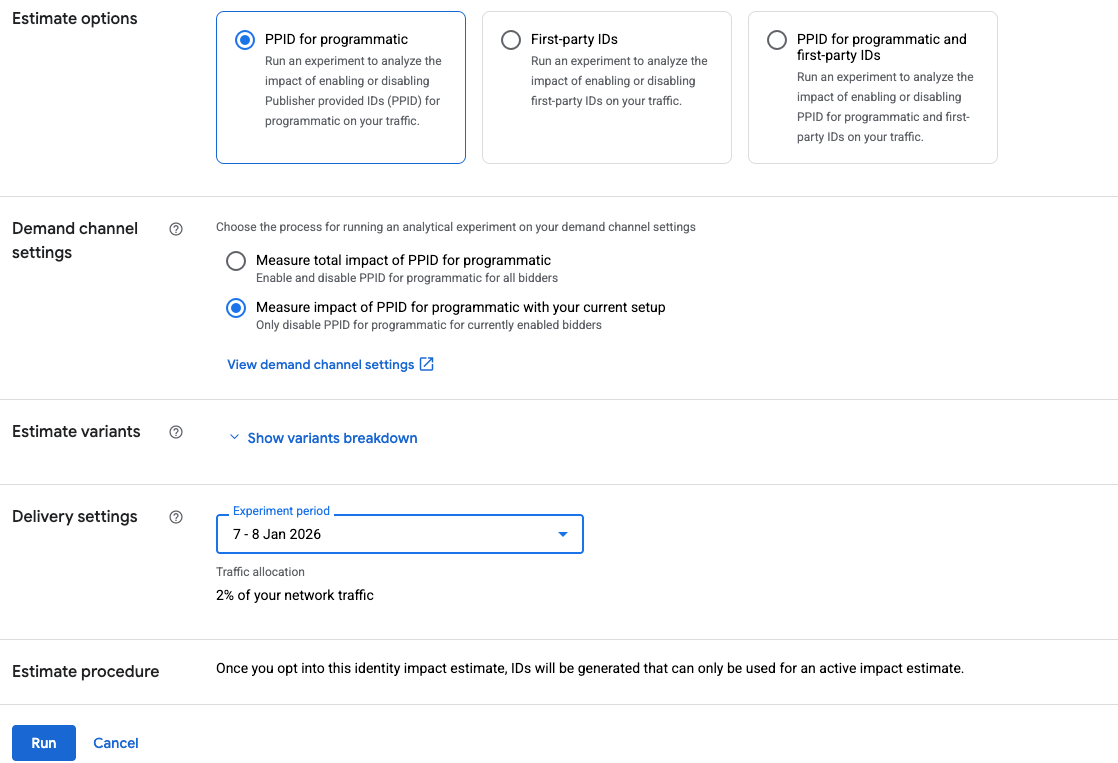
Example of a PPID Impact Estimate for one day
Now repeat six times, one for each of the next sequential days.
You will now have 7 sequential PPID Impact Estimates that will run. These provide a daily view of the Google results, as the output of an Impact Estimate cannot be broken down by day for a multi-day period.